
Notion Trash vs. Page History: What Each One Actually Protects (and What Neither Does)
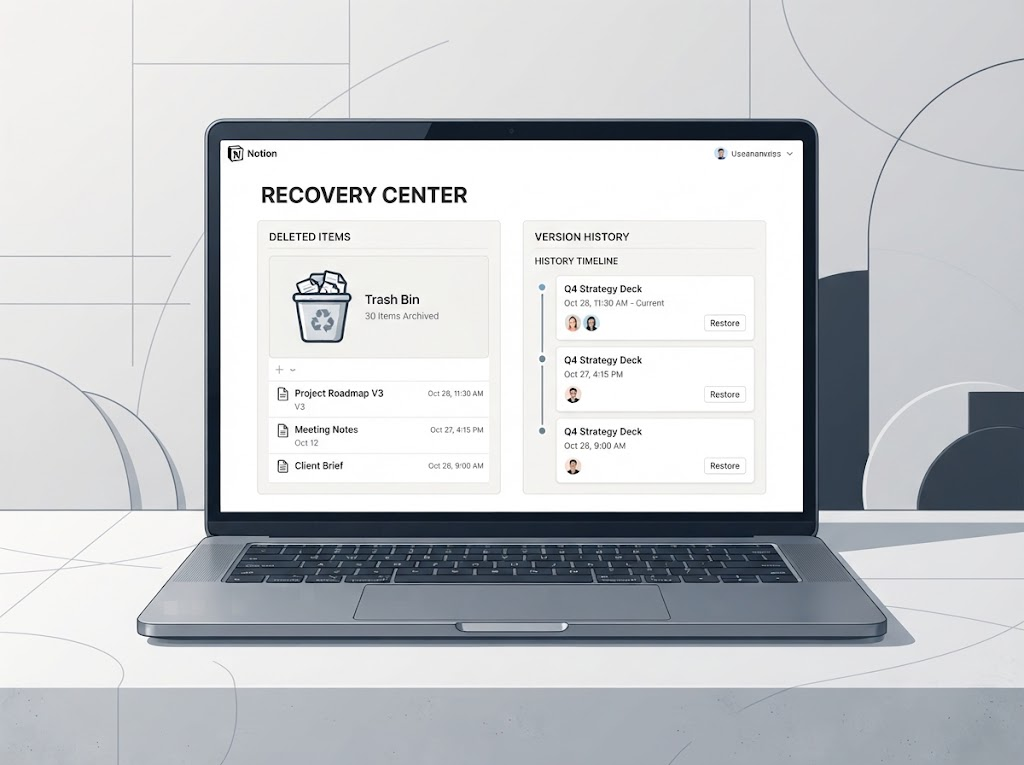
Notion Trash and Page History are not the same. Trash holds deleted pages for 30 days on every plan. Page History holds earlier versions of existing pages for 7/30/90 days. Here’s what each protects, where both fail, and when you need a backup instead.
Notion gives you two native recovery mechanisms, and users routinely confuse them. The confusion is understandable: both live behind the same three-dot menu or sidebar, both involve “getting something back,” and both have retention windows that expire. But they solve fundamentally different problems, and using the wrong one when something goes wrong can waste precious time.
Here’s the clean distinction: Trash handles deleted pages. Page History handles changed pages. If the page itself is gone, you need Trash. If the page still exists but its content is wrong, you need Page History.
Trash: for whole pages that were deleted
Trash is Notion’s recycle bin. When you delete a page — whether from the sidebar, the three-dot menu, or by right-clicking a block — it goes to Trash first, not into the void. You can find it at the bottom of the left sidebar, and from there you can restore pages to their original location or delete them permanently .
The retention window for Trash is 30 days on every plan, from Free through Business. This is not tiered like Page History, which surprises most teams . Only Enterprise workspace owners can customize this window, setting it anywhere from 1 day to 10 years . After the window closes, pages are permanently deleted, and even workspace owners can no longer restore them .
One important detail: Trash operates at the page level. If you delete a database row, it goes to Trash as a page (since database rows are pages in Notion’s model). But if someone bulk-clears a section of a workspace, individual deleted blocks within a page don’t appear in Trash — Trash only holds whole pages and sub-pages .
Page History: for content that changed on a page that still exists
Page History (sometimes called “version history” or “edit history”) captures earlier versions of a page that still exists. It’s the tool for “someone overwrote this paragraph” or “I edited this section and made it worse.” You open the page, click the three-dot menu, choose Page History, browse snapshots by date, and restore a version .
The retention window here is tiered by plan:
| Plan | Page History Retention |
|---|---|
| Free | 7 days |
| Plus | 30 days |
| Business | 90 days |
| Enterprise | Unlimited |
These numbers come from Notion’s help center and are consistent across backup-tool comparisons .
Two limitations matter. First, snapshots are created on a time interval, not on every edit: a new version is recorded every 10 minutes while you’re actively editing, and a final version 2 minutes after you stop . A burst of small changes collapses into a single snapshot. Second, Page History is per-page. There is no workspace-wide rollback, and restoring a version overwrites the current page content entirely .
The blind spots both share
Neither mechanism is a backup. Both are Notion-controlled safety nets with expiration dates you cannot extend beyond your plan’s limits (except Enterprise Trash customization). And they cover different failure modes incompletely:
Trash doesn’t help if the page is still there but wrong. If someone overwrote a section, Trash has nothing for you. Page History doesn’t help if the page was deleted. If the whole page is gone, there is no version timeline to open .
Neither covers bulk changes. A Page History restore is per-page. If an automation silently altered a property across 2,000 database records, Page History won’t help you roll that back across the database . Trash won’t either, because the records weren’t deleted — they were changed.
Neither survives account-level loss. If the workspace itself is compromised or deleted, Trash goes with it. Page History lives inside Notion’s system and cannot be exported as an independent archive .
What to do when both fail
If you’re past the Trash window and the page isn’t in Page History, native self-service recovery is over. Notion support can sometimes restore from backups on paid plans, but there is no SLA and no guaranteed path . For Free plan users past 30 days, the page is generally unrecoverable .
The practical takeaway: use Trash and Page History for what they’re designed for — quick, recent recovery from everyday mistakes. If you need a record that outlasts both windows, or a copy that exists independently of Notion’s servers, you need a local-first backup layer. Notion’s native tools are convenience features with expiration dates. A backup you control is insurance.
Comments
No comments yet. Be the first to share your thoughts!
Leave a Reply
Your email address will not be published. Required fields are marked *