
Notion Version History Limit: What You Get (and What You Don’t)
Notion version history is limited to 7 days on Free, 30 on Plus, 90 on Business, and unlimited on Enterprise. It records snapshots every 10 minutes, has no labels or semantic versioning, and makes finding the right version hard. Here’s what it protects, where it fails, and how to keep versions beyond Notion’s retention window.
Notion’s version history is often treated as a safety net for your content. It is, but a limited one. The retention window depends entirely on your plan, and once it expires, the history is gone with no self-service recovery. This article breaks down the exact limits, how snapshots are actually created, and where the gaps are.
The limits
Notion’s version history (called “Page History” in the product) records snapshots of a page as you edit it. The retention window is fixed by your subscription tier:
| Plan | Version History Retention |
|---|---|
| Free | 7 days |
| Plus | 30 days |
| Business | 90 days |
| Enterprise | Unlimited |
These numbers come directly from Notion’s help center and are widely cited across backup-tool comparisons. The limits apply to how far back you can browse and restore a page’s edit timeline.
It’s worth noting that Notion adjusts these numbers from time to time. The table above reflects the current documentation, but the underlying point doesn’t change: on most plans, version history is a short-to-medium window, not a permanent archive.
How snapshots are actually created
A common assumption is that every edit produces a new version. That’s not how Notion’s version history works. It records snapshots on a time interval, not on an edit-by-edit basis.
According to Notion’s help center, two rules govern snapshot creation:
- While you’re actively editing a page, a new version is recorded every 10 minutes.
- After your last edit, a final version is recorded 2 minutes after you stop editing.
This means a burst of small changes — fixing typos, adjusting formatting, rewording a sentence — will usually collapse into a single snapshot. You can’t recover the individual intermediate states within that window; you only see the page as it stood at the 10-minute mark or 2 minutes after you stopped.
Why it’s designed this way
The interval-based approach reflects what version history is actually for: recovering from significant editing mistakes, not auditing every keystroke. If you accidentally overwrite a section, paste over a paragraph, or regret a formatting change made half an hour ago, the snapshot from the last interval is enough to get you back.
This design keeps storage and processing costs bounded. Recording every keystroke would produce an enormous number of near-identical snapshots, most of which are useless for recovery. By collapsing edits into time-based checkpoints, Notion keeps the feature lightweight while still covering the common “undo a bad edit” scenario.
The trade-off is granularity. Version history is coarse by design. It doesn’t give you a meaningful “version” you can label, compare, or retain indefinitely — it gives you periodic checkpoints inside a limited retention window.
No semantics, just timestamps
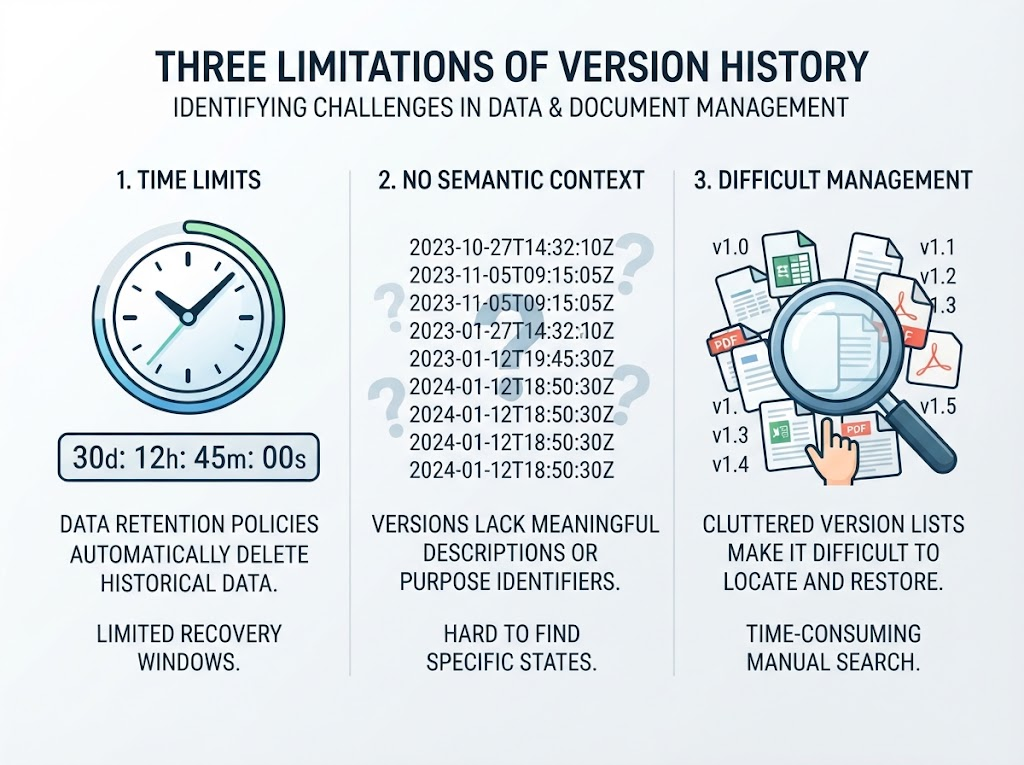
There’s a second consequence of this design that’s easy to overlook: Notion’s version history has no semantic layer at all. Every snapshot is identified only by its timestamp. You can’t name a version, tag it, attach a note explaining what changed, or mark it as “the version sent to the client” or “pre-audit snapshot.” The list is purely chronological.
This makes finding the right version harder than it first appears. If you edited a page twenty times over two days, version history shows you a flat list of timestamps. To find the state you actually want, you have to open snapshots one by one and visually scan for the change — there’s no diff view, no summary of what each snapshot altered, no way to jump to “the version before the big restructure.” A timestamp tells you when, not what.
In practice, this means version history works best when you know roughly when the mistake happened. If you don’t — if you only know that “something changed at some point last week” — the feature gives you very little to navigate by.
What version history actually protects
Version history is designed for one specific scenario: someone edited a page you still have, and you want to undo that edit. A bad paste, an overwritten paragraph, a formatting change you regret hours later — these are the problems Page History solves.
It works per-page. You open the page, go to the menu, and browse snapshots by date. You can preview a version and restore it. This is genuinely useful for day-to-day editing mistakes.
But it has a structural blind spot: version history only exists for pages that still exist. If a page itself is deleted, there is no page to open a version timeline on. That’s a different mechanism entirely — Trash — which keeps deleted pages for 30 days on every plan (Enterprise owners can customize).
Where the limit actually hurts
The retention limit matters most when you don’t notice a problem quickly. On the Free plan, a snapshot from eight days ago is already gone. On Plus, a month-old version is inaccessible. If you discover weeks later that a key section was overwritten or a database row was silently altered by an automation, the history you need may no longer exist.
The interval-based recording adds a second layer to this. Even within the retention window, you can’t retrieve a state from five minutes ago if it fell between snapshots. If you made a change, then made another change, and only later realized the first one was the mistake, the intermediate state may never have been captured.
And the lack of semantics makes the search itself costly. Even when the version you need is still inside the retention window, locating it means opening snapshots one at a time and comparing them by eye. There is no way to ask “show me what changed between Tuesday and Thursday” or “jump to the version where this section was rewritten.” The feature preserves states, but it doesn’t help you find them.
There’s a third, less obvious issue: version history is Notion-controlled. Even on Enterprise with unlimited retention, the history lives inside Notion’s system. You cannot export it as an independent archive, browse it outside Notion, or keep it if you leave the platform. It is a convenience feature, not a backup.
What to do if you need more
If your work depends on being able to recover content beyond Notion’s retention window, or if you need a copy that exists independently of Notion, version history alone won’t cover you. You need a local-first backup layer — something that captures snapshots on your own machine, retains them for as long as you choose, and lets you browse them without depending on Notion’s servers or your subscription tier.
NotionManager is built for exactly that gap. It backs up your workspace locally, keeps versioned snapshots under your control, and lets you compare and browse them offline. Version history is a convenience. A backup is insurance.
Comments
No comments yet. Be the first to share your thoughts!
Leave a Reply
Your email address will not be published. Required fields are marked *