Stop Ruining Your Layouts: Introducing Perfect Notion to PDF Chrome Extension
Struggling with broken Notion to PDF exports? Our Notion PDF converter perfectly handles complex tables, databases, and views with true WYSIWYG rendering. Free, private, and no watermarks.
If you use Notion for serious work, you know the pain of getting a perfect PDF from your Notion pages.
Notion’s native PDF export is, frankly, disappointing. Whether it is broken tables, missing properties, or messed-up page breaks, it never looks like how it does on your screen.
We looked at the existing Notion-to-PDF converters on the market, but they all had frustrating compromises. You either have to make your private pages public first, or you have to pay a premium just to remove a giant watermark.
We knew there had to be a better way. So, we took the core rendering engine from NotionManager.com and built a dedicated Chrome extension to fix this forever.
Today, we are thrilled to introduce Perfect Notion to PDF.
The Difference is Night and Day
To truly understand why this tool is necessary, let us look at a direct comparison. Below is a complex Notion page with multiple database views.
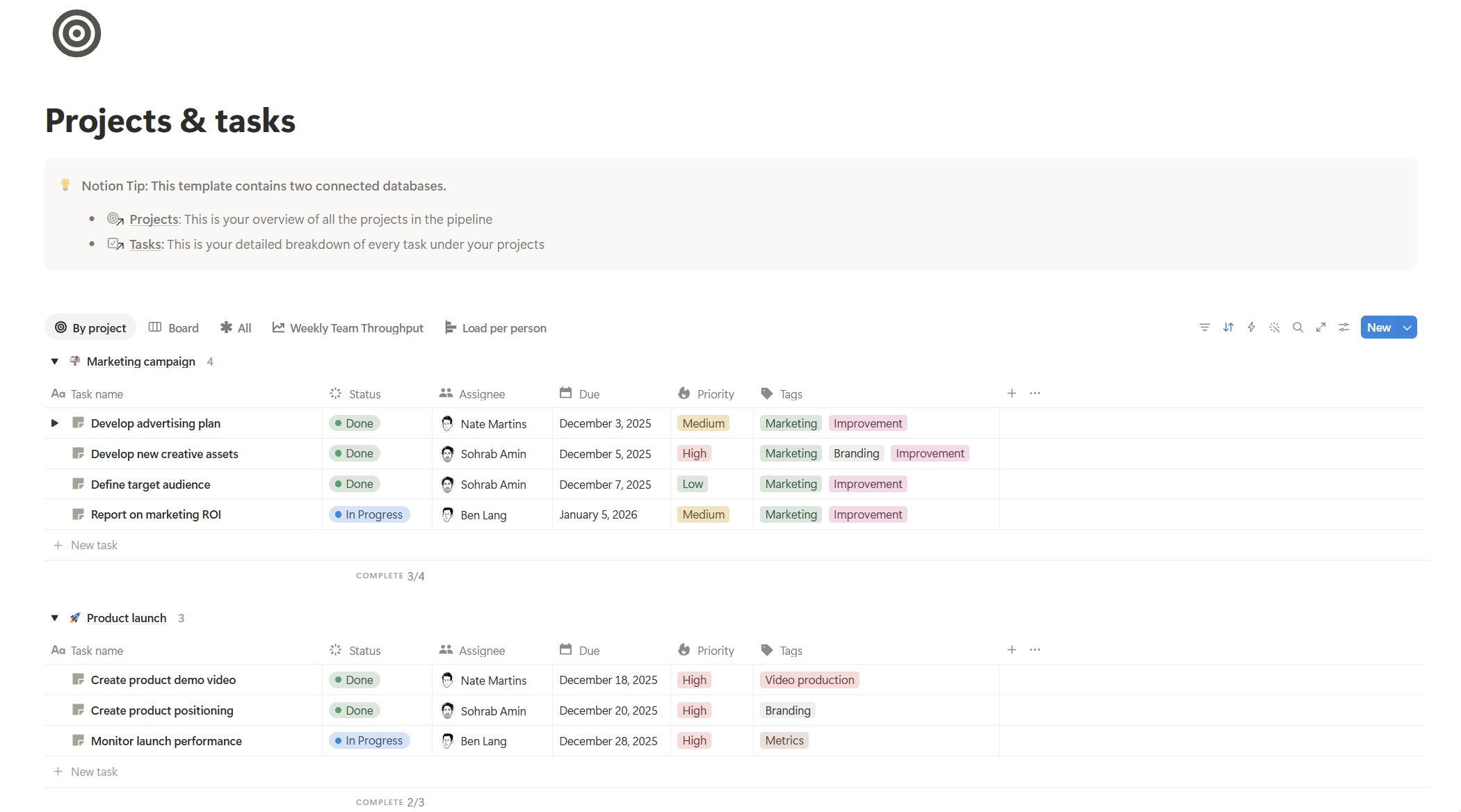
Figure 1: The original Notion page with complex views.
Now, look at what happens when you use Notion's native export:
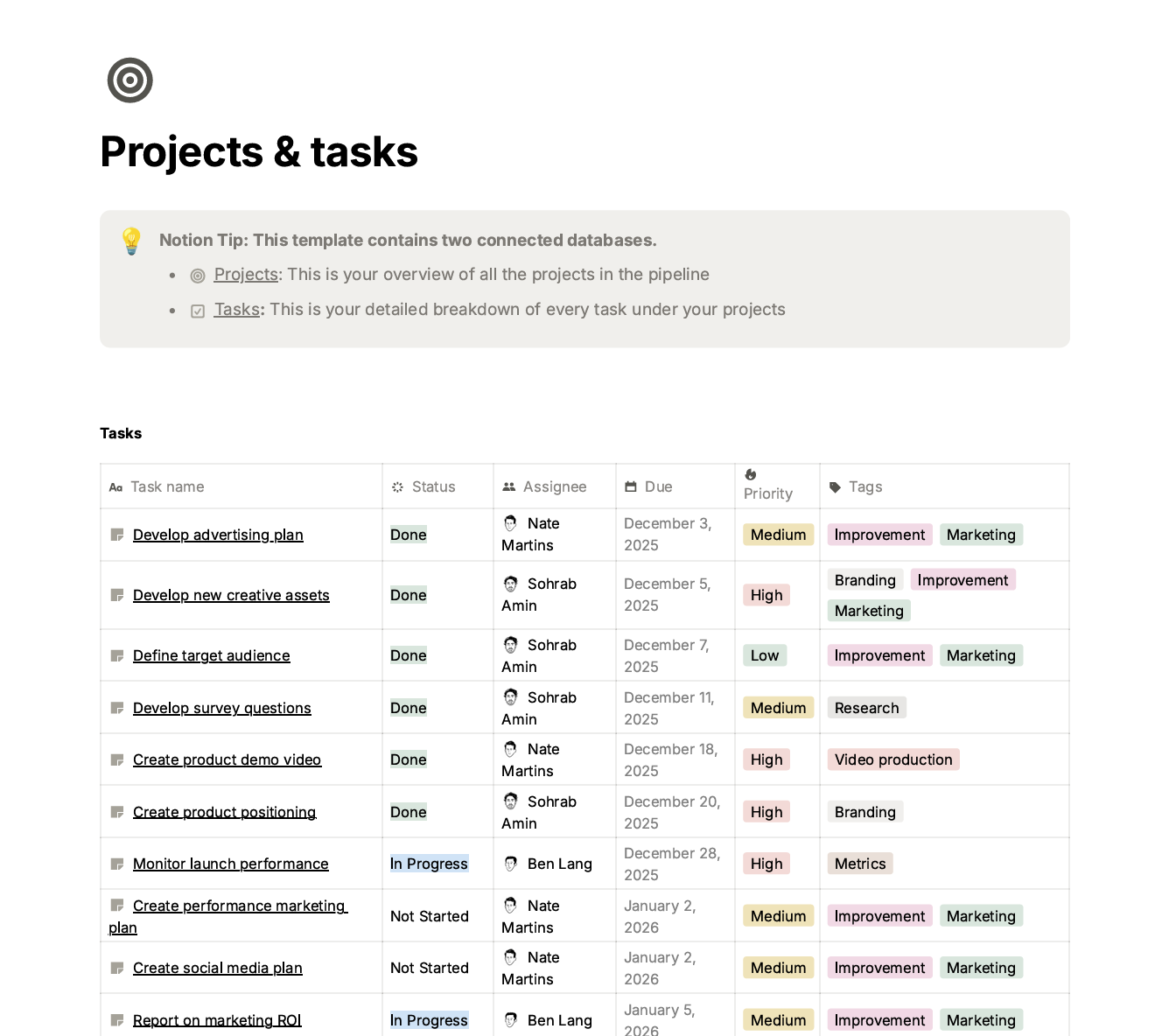
Figure 2: Notion's native export. Notice the broken layout and missing formatting.
And here is the result using Perfect Notion to PDF:
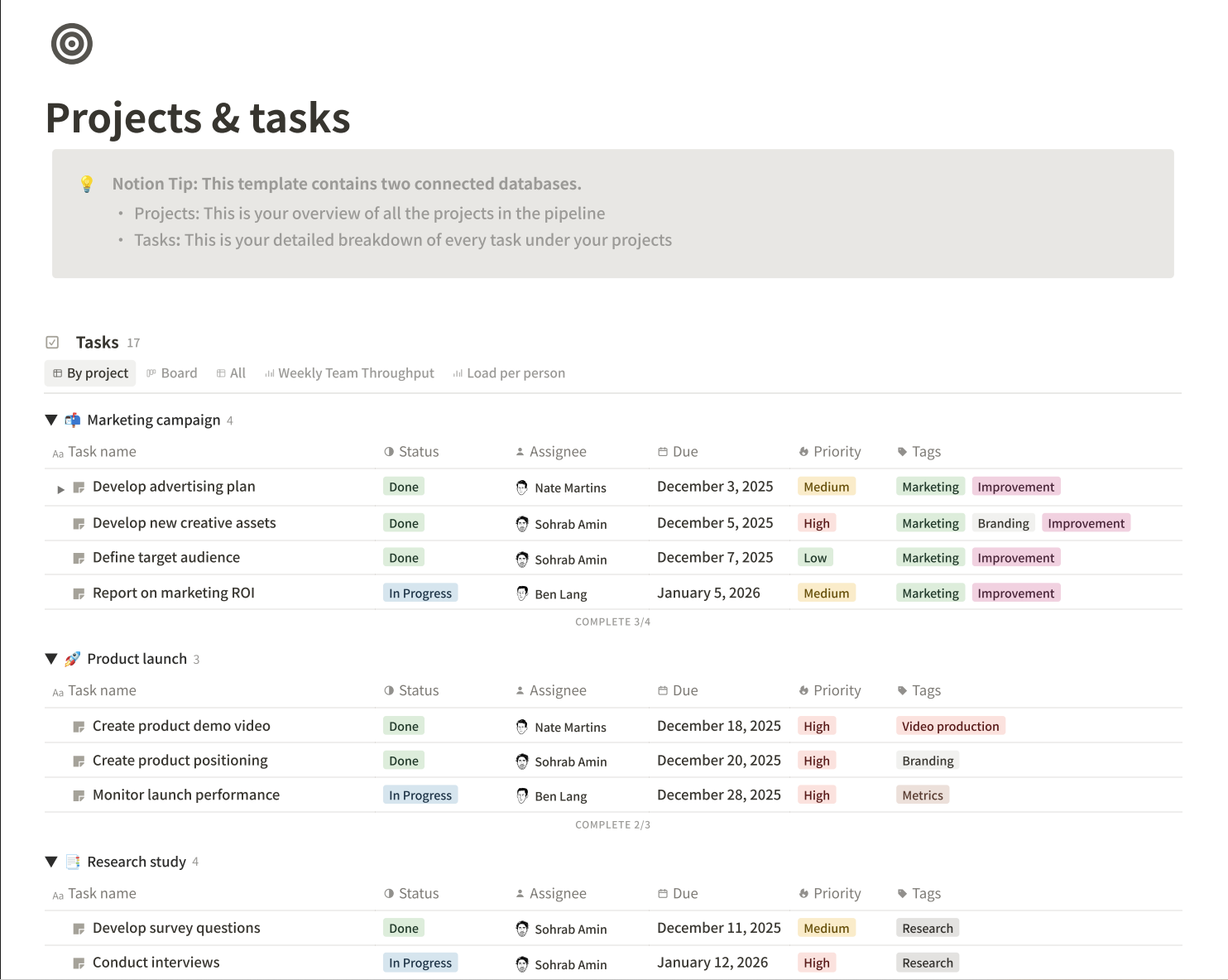
Figure 3: Perfect Notion to PDF, an exact WYSIWYG replica of the original page.
What Makes It "Perfect", nearly?
1. Export Private Pages Without Publicizing Them You shouldn't have to compromise your privacy to get a good PDF. Our extension grabs data directly from your private pages. No public sharing is required.
2. True WYSIWYG (What You See Is What You Get) Rendering This is where most tools fail. They struggle with complex Notion database views. Our extension is specifically built to match all common Notion views. If you are looking at a Board view, a Gallery view, or a heavily filtered Table, that is exactly what your PDF will look like. We carefully recreate the exact layout, colors, and structure.
3. Preview and Adjust Before You Export Because we render the PDF in real-time, you do not have to guess what the final result will look like. In the preview, you can tweak the view settings, select specific pages, and choose your desired output before you hit save.
4. 100% Free, No Watermarks, No Sign-ups We hate paywalls on basic functionality. Perfect Notion to PDF is completely free to use. There are no hidden fees, no forced account creation, and absolutely no watermarks on your exported files.
5. Zero Data Retention (Your Data is Yours) We take your privacy seriously. All data processing happens entirely in memory. Once your PDF is generated and downloaded, the data is instantly discarded. We do not store, log, or retain any of your Notion content on our servers.
How It Works (The Tech Behind It)
We designed the extension to be lightweight but powerful. Here is what happens under the hood:
- The extension securely scrapes the data from your current Notion page.
- It uses an encrypted connection to pass this data to the Notion to PDF rendering engine on NotionManager.com.
- The engine takes your data, perfectly applies the matching view templates, renders the visual content in memory, and outputs a flawless PDF right back to you.
It is fast, secure, and removes all the friction from your workflow.
Ready to Upgrade Your Notion Workflow?
Say goodbye to manual copy-pasting and broken formatting. Head over to the Chrome Web Store, install the extension for free, and generate your first perfect PDF in seconds.
👉 Install Perfect Notion to PDF on Chrome Web Store
Have feedback or found a complex database view that needs our attention? Let us know in the comments or reach out to our support team. We would love to hear how this tool saves you time!
Comments
No comments yet. Be the first to share your thoughts!
Leave a Reply
Your email address will not be published. Required fields are marked *